Notability can now organize meeting recordings, transcriptions, and notes around your calendar
Notability has added a new desktop workflow that lets Mac and Windows users record meetings and lectures directly from their calendar, automatically compiling the audio, transcript, and typed notes into a single document tied to the event. The feature, announced on Tuesday, is aimed at students and knowledge workers who need to capture and review important conversations without missing details.
The update allows users to connect their calendar to Notability. When a scheduled event begins, a tap on the event’s icon starts a recording and opens a new note. The note remains open throughout the session, ready for typed or handwritten input. At the end of the meeting, Notability merges the call’s transcript with any typed notes into one comprehensive document that is linked to the original calendar event. This streamlines the workflow for both lecture capture and business meetings, eliminating the need to manually sync separate audio files, transcripts, and notes.
Unlike other meeting‑recording solutions that rely on a bot to join calls, Notability’s system captures system audio directly from the computer. The company says this approach reduces setup time and eliminates the need for third‑party integrations. The new feature is available to users on both Mac and Windows operating systems.
Notability’s pricing structure for the feature is tiered. Plus subscribers pay $5.99 per month or $15.99 per year and receive a usage limit on live audio transcription that is not specified on the pricing page. Pro subscribers pay $15.99 per month or $79.99 per year and enjoy unlimited live transcription. The company does not disclose the exact limits for Plus users.
The announcement comes as part of Notability’s broader push to enhance its note‑taking platform with integrated audio capture and transcription. The company’s existing features include handwriting recognition, PDF annotation, and cloud sync, but the calendar‑based workflow is the first to combine scheduling, recording, and note organization in a single process.
Users in academia can benefit from the new tool by recording lectures in subjects ranging from economics to political science. The integrated transcript and note system ensures that key points are captured and searchable, potentially improving study efficiency. In professional settings, the feature supports strategy meetings, client calls, and other knowledge‑heavy sessions, allowing participants to review recordings later and identify missed details.
Notability’s developer notes that the system audio capture eliminates the need for a bot to join calls, a common requirement for other meeting‑recording apps. By capturing audio directly from the computer, the app can record any meeting that runs through the system’s audio output, regardless of the platform used for the call.
The feature is accessible through the Notability desktop app, which must be updated to the latest version. Users who have not yet upgraded will need to download the new release to access the calendar‑based workflow. The company has provided a link to a support page where users can learn more about the update and troubleshoot any issues.
While the announcement did not include direct quotes from Notability executives, the company’s press release emphasized the convenience of a single‑document solution that ties together audio, transcript, and typed notes. The update is expected to be popular among students and professionals who rely on digital note‑taking for academic and business purposes.
In summary, Notability’s new desktop workflow lets users record and transcribe meetings and lectures from their calendar, automatically compiling the audio, transcript, and typed notes into one document tied to the event. The feature is available on Mac and Windows, captures system audio without a bot, and is offered to Plus and Pro subscribers, with Pro users receiving unlimited live transcription. The update is part of Notability’s ongoing effort to streamline note‑taking for a broad user base.
Comments (0)
No comments yet — be the first to weigh in.

Energy biz SSE smacked around in court by a guy and AI
An Oxford doctoral student has defeated British energy provider SSE Energy Supply in court after utilizing artificial intelligence models to build his legal def...
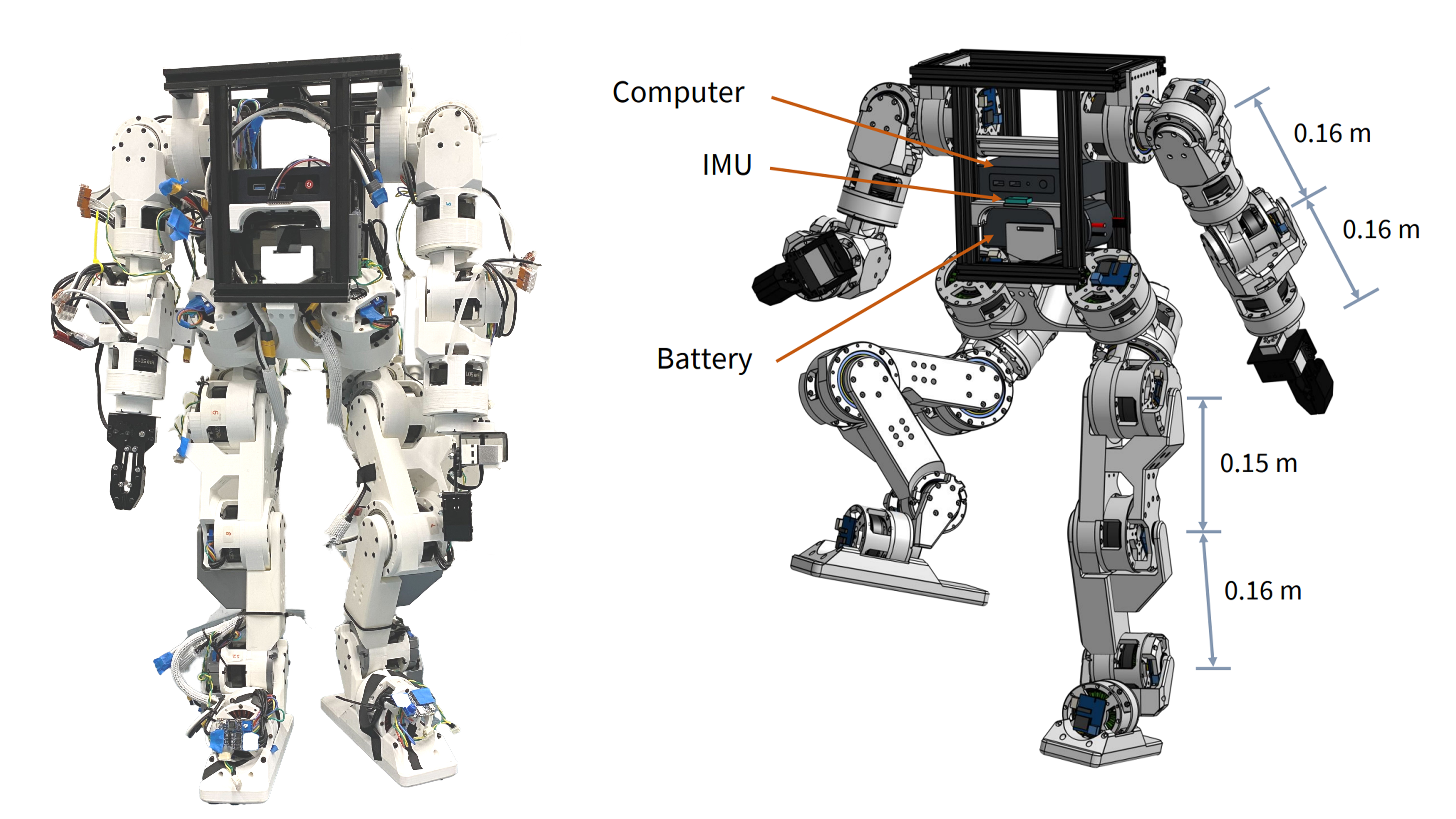
Berkeley Humanoid Lite: Affordable Open-Source Robot with DIY Actuators
Explore the Berkeley Humanoid Lite, a budget-friendly open-source robot featuring 3D-printed actuators under $5,000 USD. Learn how its modular design benefits DIY projects.

Woodstove Safety Monitor: Oru System Alerts Users to Temperature Fluctuations
Discover how the Oru woodstove assistant helps prevent dangerous chimney fires by monitoring exhaust gas temperatures and alerting users to temperature changes.
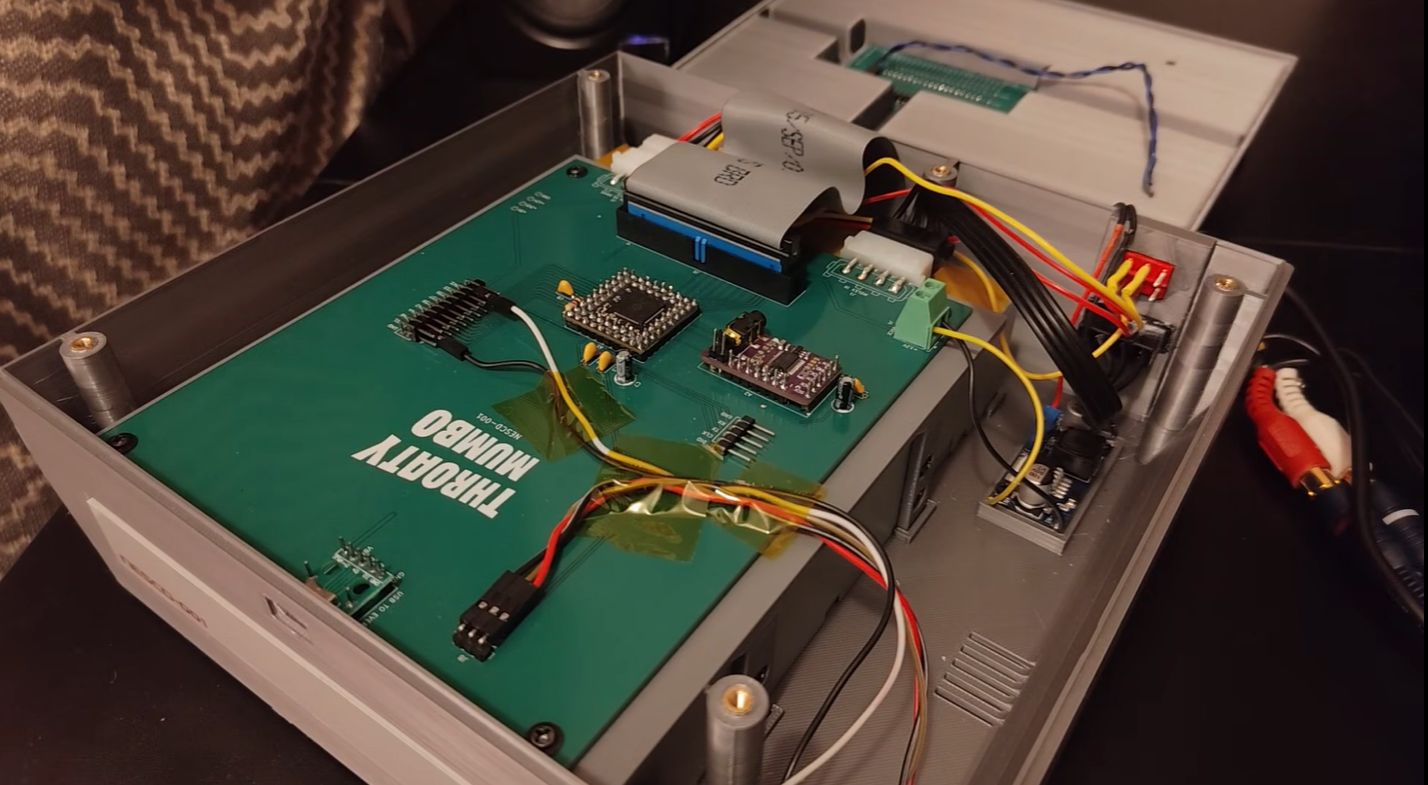
NES CD Add-On Revives 1980s Gaming with Optical Storage
Explore how a DIY project integrates a CD drive with the NES using an RP2350B microcontroller and Everdrive N8 Pro for expanded storage and audio playback.

Mumbai’s Vile Parle Cypher is giving unheard rappers a voice

Enrich and Ultimo impress

Karnataka CM Signals Review of 5% Park Land Amendment Bill in Assembly

